Introduction
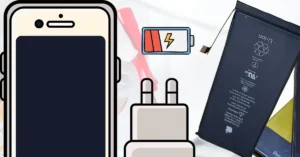
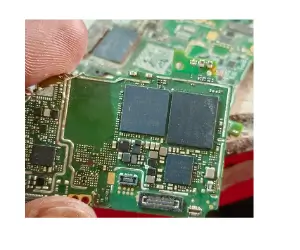
Mobile hardware repair is an essential skill for every mobile technician. From broken screens to damaged buttons, learning hardware repair can save phones and help you earn more. In this guide, we will cover step-by-step instructions for common hardware repairs.
Why Hardware Repair is Important
Phones often face problems like:
- Broken LCD or touch screen
- Battery not holding charge
- Buttons not working
- Water damage
Knowing how to repair these issues can make your repair shop or personal skills more professional.
Tools You Will Need
Before starting hardware repair, gather these tools:
- Screwdriver set for mobiles
- Plastic opening tools
- Tweezers
- Suction cup
- Replacement parts (LCD, battery, buttons, etc.)
Using the right tools ensures the phone is not damaged during repair.
Step-by-Step Hardware Repair
1. Screen Replacement
- Turn off the phone and remove the back cover.
- Remove screws and carefully open the phone using plastic tools.
- Disconnect the old LCD and touch screen flex cables.
- Connect the new screen, reassemble the phone, and test it.
2. Battery Replacement
- Power off the phone.
- Remove screws and open the back panel.
- Disconnect the old battery carefully.
- Insert the new battery and reconnect cables.
- Test charging and power functions.
3. Button Repair
- Identify the faulty button (power, volume, or home).
- Remove the phone casing and access the button flex.
- Replace or clean the button.
- Reassemble and test the button function.
4. Water Damage Repair
- Turn off the phone immediately.
- Open the phone and remove battery (if removable).
- Dry the phone using a soft cloth or specialized drying tools.
- Check for corrosion and clean carefully.
- Reassemble and test the phone.
Tips for Safe Hardware Repair
- Always turn off the phone before opening.
- Keep screws organized to avoid losing them.
- Use anti-static tools to protect internal components.
- Work in a clean and well-lit area.
Conclusion
Mobile hardware repair may seem challenging at first, but with the right tools and step-by-step practice, anyone can learn it. Start with simple repairs like battery or screen replacement, then move to advanced repairs. Mastering hardware repair will make you a professional technician and increase your earning potential.