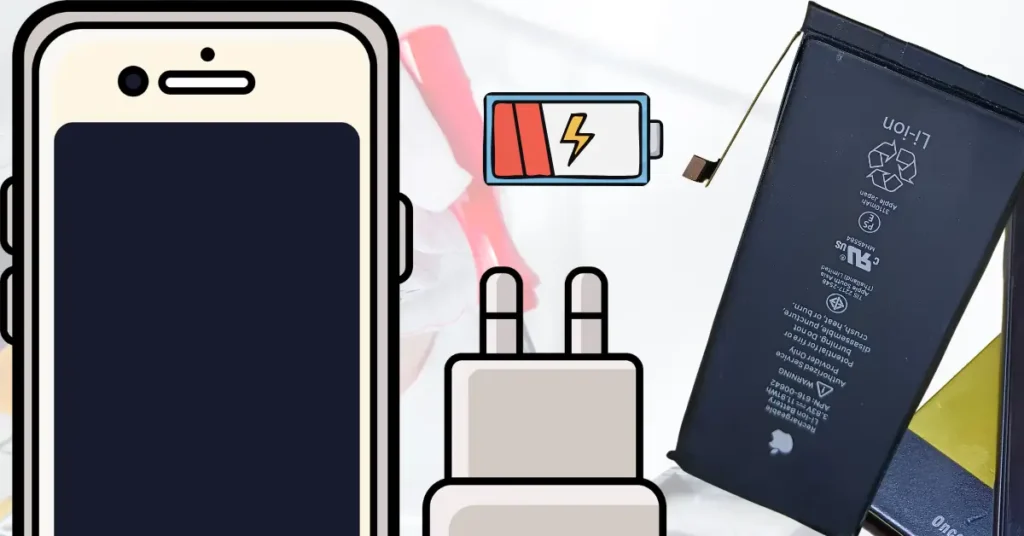
A lot of people think that if their iPhone battery is not charging, it means the phone is totally damaged or the battery is dead. That’s not always true. In fact, most of the time the issue is small and easy to fix — like a faulty cable, software glitch, or even just dust in the charging port.
So before you panic or rush to a repair shop, it’s important to understand what’s actually going on. Many users face this iPhone not charging problem, but they still manage to fix it at home with simple steps. Let’s break it down in a simple way.
Why iPhone Battery Not Charging is So Common
If you are here, chances are your iPhone is plugged in but still not charging, or maybe it charges for a few seconds and then stops. Sometimes the charging icon shows, but the battery percentage just doesn’t move. Annoying, right?
This is one of the most common issues iPhone users face worldwide. Whether it’s an older model or a new one, the problem can appear anytime.
You might notice things like:
- iPhone plugged in but not charging at all
- Battery icon appears but no increase in percentage
- Charging suddenly stopped without reason
- Phone charging very slowly
All these situations fall under the same category: iPhone charging issue fix problems.
The good news? Most of these cases are not serious hardware failures. They are usually related to simple issues like:
- A damaged or fake charging cable
- Dirt or dust blocking the charging port
- Temporary software bugs in iOS
- Battery health getting weaker over time
That’s why people search for terms like iPhone battery not charging, iPhone charging issue fix, or iPhone not charging problem solution — because the issue is confusing but often fixable.
Quick Overview – Why iPhone Not Charging Happens
Now let’s quickly understand what actually causes this issue. There is no single reason. Instead, there are a few common triggers behind the iPhone charging problem.
1. Faulty Charger or Cable
One of the biggest reasons is a bad cable or adapter. iPhones are very sensitive when it comes to charging accessories. If the cable is broken, low quality, or not original, your phone may show:
- iPhone charger not working
- iPhone charging cable problem
- iPhone charging accessory not supported
Even if it looks fine outside, internal wire damage can stop proper charging.
2. Dirty or Blocked Charging Port
This is very common, especially in dusty environments. Tiny dust particles get stuck inside the charging port and block proper connection.
This leads to:
- iPhone charging port issue
- iPhone charging port not working
- iPhone lightning port repair situation
Many users ignore this, but cleaning the port often solves the issue instantly.
3. Software Glitch or iOS Bug
Sometimes your phone is perfectly fine, but the software is confused. A minor iOS bug can stop charging detection.
This can cause:
- iPhone software bug charging issue
- iOS update charging problem
- iPhone charging restart fix needed
A simple restart or update can often solve it.
If the issue is caused by an iOS bug or software glitch and a simple restart or update doesn’t fix it, then it may need proper software troubleshooting.
👉 You can also check our Software & Unlocking Service for advanced iOS software-related issues and fixes.
4. Battery Health Degradation
Every iPhone battery gets weaker with time. If your battery health drops too low, charging issues start appearing.
You may notice:
- iPhone battery health issue
- iPhone battery drain problem
- iPhone battery not increasing properly
In this case, the battery itself might need replacement.
5. Hardware Damage (Less Common but Serious)
If nothing works, then there could be internal damage like:
- Charging IC issue
- Port damage
- Water damage
This leads to:
- iPhone hardware charging issue
- iPhone power issue
- iPhone repair charging issue
But don’t worry — this is usually the last case, not the first.
Your iPhone is NOT Always Faulty — Most Charging Issues Start from Small External Problems
Many people immediately assume their iPhone has a serious internal fault when it stops charging. But in reality, the biggest reason behind iPhone battery not charging is often something very simple — like a bad cable or a dirty charging port. These are small issues, but they can completely block charging and create confusion.
Before thinking about expensive repairs or battery replacement, it’s smart to check these basic things first. In most cases, users fix the iPhone charging issue at home without any technical tools.
1. First Check – Is Your Charger or Cable the Problem?
Let’s start with the most common reason behind iPhone not charging problem — your charging accessories.
Many users don’t realize that cables and adapters wear out quickly. Even if they look fine outside, the internal wires can break or weaken over time. That’s when your phone starts behaving strangely.
You may notice:
- iPhone charger not working
- iPhone not charging when plugged in
- Charging icon appears but battery doesn’t increase
- Charging stops randomly
This is very common when using cheap or damaged accessories.
2. Try a Different Charger First
Before anything else, plug your iPhone with another charger. If it starts charging, then your original cable or adapter is the issue. Simple as that.
This is one of the fastest ways to confirm the iPhone charging cable problem.
3. Always Prefer Original Apple Accessories
iPhones are strict about power input. Using low-quality or duplicate chargers often leads to:
- iPhone charging accessory not supported
- iPhone charger compatibility issue
- Slow or unstable charging
Fake chargers may work for a few days, but they usually create long-term issues for your battery health as well.
4. Check for Physical Damage
Take a close look at your cable:
- Is it bent or broken near the edges?
- Is the USB or lightning connector loose?
- Does it disconnect when moved slightly?
If yes, then you’ve already found the reason behind your iPhone charging problem solution.
Even small damage can interrupt charging flow completely.
Clean Your iPhone Charging Port (Most Ignored Fix)
Now let’s talk about a very underrated but powerful fix — cleaning your charging port.
A lot of people ignore this step, but it’s one of the most effective solutions for iPhone charging port issue problems.
Your phone pocket collects dust, lint, and tiny particles. Over time, this dust gets packed inside the charging port and blocks proper connection between the cable and the phone.
That’s when you face:
- iPhone charging port not working
- iPhone charging port loose connection
- iPhone lightning port repair feeling needed
- iPhone not charging even with good cable
How to Clean It Safely
You don’t need any expensive tools. Just follow simple steps:
- Turn off your iPhone first
- Use a soft brush or wooden toothpick
- Gently remove dust from inside the port
- Blow light air (don’t use strong pressure)
⚠️ Important: Never use metal pins or sharp objects. They can damage the port and turn a small issue into a big iPhone hardware charging issue.
Why This Fix Works So Often
When dust blocks the connection, your charger cannot properly connect to internal pins. That’s why:
- Charging starts and stops
- Phone doesn’t detect charger
- Battery icon appears but no charging
After cleaning, many users instantly fix the iPhone charging not working issue without any repair.
When Cleaning Doesn’t Help
If cleaning doesn’t solve the issue, then the problem might be deeper like:
- Damaged charging port
- Loose internal connector
- Hardware failure
In that case, you may need professional inspection through our Water & Hardware Repair service, where we diagnose and fix advanced iPhone charging and hardware issues safely and professionally.
Your iPhone Charging Problem Is NOT Always Hardware — Many Issues Are Just Software or Battery Health Related
Most people think that if their iPhone battery is not charging, then something inside the phone is broken. But that’s not true in every case. A lot of times, the issue is actually coming from software bugs or battery health getting weak over time.
Before you assume it’s a serious iPhone hardware charging issue, it’s important to check the software side and battery condition. These two areas are often ignored, but they solve a huge number of iPhone charging problems.
Restart & Software Fix (Simple but Powerful Solution)
Let’s be honest — sometimes your iPhone is not broken at all. It’s just confused.
A small software glitch in iOS can easily cause iPhone not charging problem, even if everything else is fine. That’s why restarting your phone is one of the simplest and most effective fixes.
Start with a Normal Restart
Turn off your iPhone and turn it back on after 20–30 seconds. This refreshes the system and clears temporary bugs.
Many users are surprised when their iPhone charging issue fix happens just after a restart.
Try Force Restart if Normal Restart Doesn’t Work
If your phone is frozen or still not charging properly, do a force restart. This is more powerful and clears deeper system glitches.
After this step, many problems like:
- iPhone charging restart fix
- iPhone not turning on charging
- iPhone no charging symbol
start getting resolved automatically.
Check for iOS Updates
Outdated software can also create charging bugs. Apple often fixes charging-related issues in new updates.
Go to settings and check if any update is pending. Updating your phone can solve:
- iOS update charging problem
- iPhone software bug charging issue
- iPhone charging problem after update
Sometimes, users don’t realize that a simple update can fix their iPhone charging not working issue completely.
Reset Settings (If Needed)
If nothing works, resetting settings can help. This does not delete your data but resets system configurations.
It can fix hidden issues causing:
- iPhone reset charging issue
- iPhone charging solution guide
Battery Health Check – Is Your Battery Weak?
Now let’s talk about something very important — your battery itself.
Even if your charger and software are fine, a weak battery can still cause iPhone battery not charging problems.
Every lithium battery has a limited life. Over time, it naturally loses its capacity. That’s when charging issues start appearing.
Check Battery Health in Settings
Go to:
Settings → Battery → Battery Health
Here you will see your battery’s maximum capacity.
If it is below 80%, your battery is considered weak. This is where many users start facing:
- iPhone battery health issue
- iPhone battery drain problem
- iPhone battery not increasing properly
Signs of a Weak Battery
You might notice:
- Phone charges very slowly
- Battery drops quickly after full charge
- Phone shuts down suddenly
- Charging percentage gets stuck
These are clear signs of iPhone battery calibration fix being needed or even battery replacement.
Battery Drain and Charging Confusion
Sometimes the phone charges, but the percentage drops quickly. This confuses users into thinking their iPhone charging issue fix is not working.
But actually, the battery is just weak and not holding power properly.
This leads to:
- iPhone battery drain fast fix needed
- iPhone charging drops suddenly
When Battery Replacement is the Only Solution
If your battery health is very low and problems continue even after trying all fixes, then replacement is the final solution.
At this stage, no software trick will fix:
- iPhone battery not charging properly
- iPhone battery not increasing issue
A new battery brings your phone back to normal performance.
iPhone Charging Issues Are NOT Always “Dead Battery” Problems — Heat and Compatibility Play a Big Role
A lot of users think that when their iPhone battery is not charging, it means the battery is finished or the phone is permanently damaged. But that’s not always true. Sometimes your iPhone is simply refusing to charge because of heat protection or charger compatibility issues.
These two reasons are often ignored, but they are a big cause behind the iPhone charging problem. Let’s understand them in a simple, practical way.
Overheating Issue – iPhone Stops Charging Automatically
One of the smartest features in iPhones is temperature protection. Your phone is designed to protect itself. So when it gets too hot, it automatically stops charging.
This often confuses users who think they are facing a serious iPhone power issue, but actually it’s just heat safety mode.
Why Your iPhone Gets Too Hot
Your iPhone can overheat due to simple daily activities like:
- Gaming for long time
- Charging while using heavy apps
- Using phone under direct sunlight
- Fast charging with poor ventilation
When this happens, you may notice:
- iPhone overheating not charging
- iPhone charging drops suddenly
- Charging starts then stops
- Battery percentage freezes
What Actually Happens Inside
When temperature rises, iPhone automatically slows down or stops charging to protect the battery. This prevents long-term damage and is completely normal behavior.
That’s why many users think they have an iPhone charging issue fix problem, but in reality, the phone is just cooling itself.
Simple Fix for Overheating
If your iPhone is hot and not charging:
- Remove the case
- Stop using the phone
- Keep it in a cool place
- Avoid charging under sunlight
After 10–20 minutes, try again. Most of the time, charging will start normally.
Important Tip
Never try to force charge a hot iPhone. It can increase stress on the battery and cause long-term iPhone battery drain problem.
Wireless Charging or Fast Charging Not Working?
Now let’s talk about another common confusion — when your iPhone is charging, but not fast enough or not wirelessly charging properly.
Many users think their phone has a serious fault, but in reality, it’s often a compatibility or setup issue.
Fast Charging Not Working
If your iPhone is charging slowly, it may not always be a defect. Fast charging needs:
- Original or high-quality adapter
- USB-C power delivery support
- Proper cable compatibility
If any of these are missing, you may face:
- iPhone fast charging not working
- iPhone slow charging fix needed
- iPhone charging slow problem
Even a good iPhone will charge slowly if the adapter is not powerful enough.
Wireless Charging Issues
Wireless charging is very sensitive. Small misalignment can stop charging completely.
Common problems include:
- iPhone wireless charging issue
- Charging starts and stops on pad
- Phone not detecting wireless charger
This usually happens when:
- Phone is not placed correctly
- Thick case is blocking connection
- Charger is not compatible with iPhone
Simple Fix for Wireless Charging
Try these quick steps:
- Remove phone case
- Reposition iPhone on charging pad
- Use certified wireless charger
- Clean charging surface
In most cases, this solves the iPhone charging not working issue without any repair.
Accessory Compatibility Matters
iPhones are strict about power input. Using cheap or non-certified accessories can lead to:
- iPhone charging accessory not supported
- Charging interruptions
- Slow or unstable charging
That’s why using proper accessories is important for avoiding long-term iPhone charging problem solution situations.
iPhone Charging Problem Is NOT Always a Battery Issue — Sometimes It’s Deeper Hardware or Even a Deep Discharge Situation
Many users panic when their iPhone battery is not charging and assume the battery is dead or needs immediate replacement. But that’s not always the case. If basic fixes don’t work, the issue can move into hardware level problems or even a completely drained battery that needs time to wake up.
At this stage, the situation becomes more technical, but still understandable. Let’s break it down in a simple way so you can clearly identify what’s going on with your iPhone charging problem.
Hardware Problems – When Nothing Works
If you’ve already tried charger, cable, cleaning, restart, and battery check — but your iPhone still refuses to charge — then the issue might be inside the hardware.
This is where things get a bit serious, but still not hopeless.
Charging IC Issue (Power Management Chip Problem)
Inside your iPhone, there is a small chip called the charging IC. It controls how power flows into your device.
If this chip gets damaged, you may see:
- iPhone hardware charging issue
- iPhone not charging even with good charger
- Charging symbol appears but no power increase
This is not something you can fix at home. It usually needs a technician.
Damaged Charging Port
Sometimes the charging port itself gets damaged due to:
- Rough cable usage
- Dust buildup over time
- Water or moisture exposure
In this case, your phone may show:
- iPhone lightning port repair needed
- Loose charging connection
- Cable only works at certain angle
This is a very common iPhone charging repair issue in older devices.
Internal Board or Circuit Fault
If your phone has experienced a fall or liquid damage, internal circuits can get affected. This leads to:
- Complete charging failure
- Random charging disconnects
- iPhone power issue
At this point, the phone needs proper diagnostic testing.
Important Reality Check
If your iPhone reaches this stage, no software trick will help anymore. It becomes a hardware troubleshooting case, and repair shop inspection is the only real solution.
When iPhone is Dead and Not Charging at All
Now let’s talk about one of the most stressful situations — when your iPhone is completely dead and doesn’t show any charging sign at all.
You plug it in… but nothing happens. No logo, no battery icon, nothing.
This is commonly known as a deep discharge state or complete battery drain.
Deep Discharge – Battery is Fully Empty
Sometimes the battery drains so low that the phone doesn’t respond immediately.
In this case, you may see:
- iPhone dead not charging
- iPhone no charging symbol
- iPhone stuck on battery icon
But this does NOT always mean your phone is dead.
Give It Time to Respond
If your iPhone battery is fully drained, it may take time to wake up again.
Try this:
- Plug it into a charger
- Wait at least 20–30 minutes
- Don’t keep disconnecting cable
Many users think their iPhone not turning on charging issue is permanent, but it often recovers after some time.
Try a Strong Charger Setup
If nothing appears, use:
- Original Apple charger
- Wall socket (not laptop or power bank)
- Known working cable
Sometimes weak power sources cause the phone to stay inactive.
Still No Response? Check for Deeper Issue
If your phone still shows no sign of life after charging for a long time, then it could be:
- Battery failure
- Charging IC damage
- Motherboard issue
This is where iPhone charging repair issue diagnosis becomes necessary.
Key Point to Remember
A dead iPhone is not always permanently dead. In many cases, it just needs proper charging time or a better power source before it responds again.
iPhone Charging Problem Is NOT Always a “Shop Repair Case” — Many Issues Can Be Fixed at Home First
A lot of people think that once their iPhone battery is not charging, the only option is to go straight to a repair shop. But that’s not true. In fact, most charging problems can be solved at home with simple checks and basic troubleshooting.
Before spending money on iPhone charging repair issue services, it’s smart to try a few practical DIY fixes. And only when nothing works, then you move toward professional help.
Let’s go step by step in a very simple way.
Simple DIY Fixes You Can Try at Home
If your iPhone is not charging, don’t panic. Start with easy solutions first. Many users fix their iPhone charging not working issue without visiting any shop.
These basic steps solve a large percentage of charging problems.
1. Clean the Charging Port Properly
Dust is one of the biggest hidden enemies of charging.
If your phone is not charging, gently clean the port using a soft brush or wooden stick. This can instantly fix:
- iPhone charging port issue
- iPhone charging not working fix
- iPhone cable not detected problem
Even a small amount of dust can block connection completely.
2. Try a Different Cable and Adapter
Sometimes the problem is not your phone at all.
Test your iPhone with another:
- Cable
- Charger
- Power socket
This helps confirm if you are dealing with a iPhone charging cable problem or a faulty adapter.
Many users solve their iPhone not charging solution just by replacing the charger.
3. Restart Your iPhone
A simple restart can refresh system functions.
This helps fix:
- iPhone charging restart fix
- iPhone software bug charging issue
- Temporary charging glitches
It’s basic but surprisingly effective.
4. Check Charging Source
Always plug your charger into a wall socket, not a laptop or weak power source. Low power output can cause:
- iPhone charging slow problem
- iPhone charging not working properly
5. Leave It Charging for Some Time
If your battery is deeply drained, give it time. Don’t unplug it again and again.
Many users think their phone is dead, but it just needs patience to recover from iPhone no charging symbol situations.
Important Tip
If these DIY fixes work, you’ve just saved yourself from unnecessary repair cost. Most iPhone charging problem solution cases are solved at this stage.
When to Go to Repair Shop (Important Section)
Now let’s be honest — not every problem can be fixed at home. If you’ve tried everything and your iPhone still refuses to charge, then it’s time to consider professional help.
This is where expert diagnosis becomes necessary for your iPhone hardware charging issue.
1. When Charging Port Is Physically Damaged
If your charging port is:
- Loose
- Broken
- Not holding cable properly
Then home fixes won’t work anymore. This usually needs iPhone lightning port repair.
2. When Battery Is Completely Weak
If your battery health is very low and phone behaves like:
- Fast battery drain
- Not holding charge
- Charging not increasing
Then you likely need a battery replacement.
This is a clear iPhone battery not charging solution case from hardware side.
3. When iPhone Shows No Response at All
If your phone:
- Doesn’t turn on
- Shows no charging icon
- Stays completely dead
Even after trying different chargers, then it may be:
- Charging IC issue
- Motherboard fault
- Internal circuit damage
This becomes a serious iPhone power issue.
4. When DIY Fixes Fail Repeatedly
If you’ve already tried:
- Cleaning port
- Changing cable
- Restarting phone
- Charging for long time
And still nothing works, then it’s time for expert repair.
5. Signs You Should Not Ignore
Go to a repair shop if you notice:
- iPhone charging drops suddenly every time
- Phone only charges at a certain angle
- Charging works intermittently
These are clear signs of deeper iPhone charging repair issue problems.
Final Advice for This Stage
Don’t keep trying random methods again and again. If basic troubleshooting fails, professional diagnosis saves time and prevents further damage.
A good technician can quickly identify whether it’s:
- Battery issue
- Port damage
- Or internal hardware fault
iPhone Charging Issues Are NOT Permanent — Most Problems Come Back Because of Bad Habits, Not Permanent Damage
A lot of users think that once their iPhone battery is not charging, it will keep happening forever or the phone is permanently weak. But that’s not true. Most iPhone charging problems come back again because of daily habits, not because the device is permanently damaged.
If you fix the issue but don’t change how you use and charge your iPhone, the same iPhone not charging problem can return again. That’s why prevention is just as important as fixing.
Let’s talk about the final and most important steps: how to prevent this issue and how to wrap everything up simply.
Final Tips to Prevent iPhone Charging Problems
Now that you understand almost every reason behind iPhone battery not charging, it’s time to make sure it doesn’t happen again.
These simple habits can save your phone from future charging issues and reduce the need for frequent iPhone charging issue fix solutions.
1. Always Use Original or Certified Accessories
This is one of the biggest mistakes users make. Cheap chargers may work temporarily, but they slowly damage your battery and charging port.
Always use:
- Original Apple charger
- Certified Lightning cable
- Good quality adapters
This helps avoid:
- iPhone charging accessory not supported
- iPhone charger compatibility issue
- iPhone charging cable problem
2. Avoid Overheating Your iPhone
Heat is one of the biggest enemies of battery health.
To protect your phone:
- Don’t use it while charging for heavy tasks
- Avoid gaming during charging
- Keep it away from direct sunlight
This prevents:
- iPhone overheating not charging
- iPhone charging drops suddenly
- Long-term battery damage
3. Keep Charging Port Clean
Dust buildup is a silent killer for charging performance.
Make it a habit to:
- Clean charging port gently once in a while
- Avoid keeping phone in dusty pockets
- Use protective covers carefully
This prevents:
- iPhone charging port issue
- iPhone lightning port repair situation
- Loose charging connection
4. Don’t Overcharge Your iPhone
Modern iPhones are smart, but still, good habits matter.
Try to:
- Unplug when fully charged
- Avoid leaving phone on charger overnight daily
This helps reduce:
- iPhone battery drain problem
- Battery stress and overheating
- Charging instability issues
5. Keep iOS Updated
Software updates often fix hidden bugs.
Updating your phone can prevent:
- iPhone software bug charging issue
- iOS update charging problem
- Random charging failures
Simple Rule
Good habits = fewer charging problems.
Most iPhone charging problem solution cases happen because users ignore these small things.
Conclusion – Simple Summary for Users
So let’s quickly wrap it up in a simple way.
If your iPhone battery is not charging, don’t immediately assume the worst. In most cases, the issue is not serious and can be fixed step by step.
We covered everything:
- Charger and cable issues
- Dirty charging port problems
- Software glitches
- Battery health decline
- Overheating protection
- Wireless and fast charging issues
- Hardware faults
- Deep discharge situations
- DIY fixes
- And when to visit a repair shop
The main takeaway is simple:
👉 Most iPhone not charging problems are fixable at home.
👉 Only a small percentage need professional repair.
👉 Prevention is the key to long battery life.
If you follow the tips in this guide, you can easily reduce the chances of facing iPhone charging issue fix situations again and again.
FAQ – iPhone Battery Not Charging (Common Questions Answered)
1. Why is my iPhone battery not charging even when plugged in?
Most of the time, it’s not a serious issue. A iPhone battery not charging problem usually happens due to a faulty cable, dirty charging port, software glitch, or weak battery health. Try changing the charger and restarting your phone first.
2. How do I fix my iPhone not charging problem quickly?
Start with simple steps:
- Change charging cable and adapter
- Clean the charging port
- Restart your iPhone
- Try a different power socket
These steps solve most iPhone charging issue fix cases without repair.
3. Can a dirty charging port stop my iPhone from charging?
Yes, absolutely. Dust and lint can block connection pins inside the port. This leads to iPhone charging port issue or slow charging. Cleaning it gently often solves the problem instantly.
4. Why does my iPhone charge slowly or stop charging suddenly?
This can happen due to:
- Weak charger or cable
- Overheating
- Battery health issue
- Background software bugs
These are common causes of iPhone charging drops suddenly and slow charging problems.
5. Is it safe to use non-original iPhone chargers?
It is not recommended. Cheap or fake chargers can cause:
- iPhone charging accessory not supported
- Battery damage over time
- Slow or unstable charging
Always use certified or original Apple accessories.
6. What should I do if my iPhone is not turning on while charging?
Leave it connected for at least 20–30 minutes. If still nothing appears, try:
- Different charger
- Force restart
- Check charging port
This is often a iPhone no charging symbol or deep discharge situation.
7. Can software updates fix charging problems?
Yes. Sometimes iOS bugs cause charging issues. Updating your phone can fix:
- iPhone software bug charging issue
- iOS update charging problem
- Random charging interruptions
8. When should I replace my iPhone battery?
If your battery health is below 80% and you notice:
- Fast battery drain
- Charging not increasing
- Phone shutting down quickly
Then battery replacement is the best iPhone battery not charging solution.
9. Is overheating dangerous for charging?
Yes. When your iPhone gets too hot, it automatically stops charging to protect itself. This causes iPhone overheating not charging issues. Always let it cool before charging.
10. When should I go to a repair shop?
If you’ve tried all basic fixes and still face:
- No charging at all
- Loose charging port
- Hardware-related issues
Then it’s likely a iPhone hardware charging issue, and professional repair is needed.
👉 You can check our dedicated Battery & Power Issues repair service where we diagnose and fix all charging, battery, and power-related problems with expert care.



1 thought on “iPhone Battery Not Charging? 9 Powerful Fixes That Actually Work in 2026”
Good, very informal content,
I follow the steps and fix my phone charging problem,
Thanks